Public preview: This API is in public preview. Endpoints, schemas, and limits may change before general availability.
Getting started
From zero to your first streaming response in five minutes.
This walkthrough takes you from a fresh account to a working response in under five minutes. We will add credit, create an API key, send a single message, and stream the answer.
1. Create an account#
Sign up at chat.eugpt.ai.
2. Add credit#
API usage is paid per token from a prepaid balance, so add credit before your first request. Without credit, requests return 402.
- Personal account: click your name at the bottom of the sidebar, choose Billing, add your billing details, and click Add credit (from €10, excluding VAT).
- Business organisation: the organisation shares one balance, which an organisation manager tops up under the menu under their name → Organization.
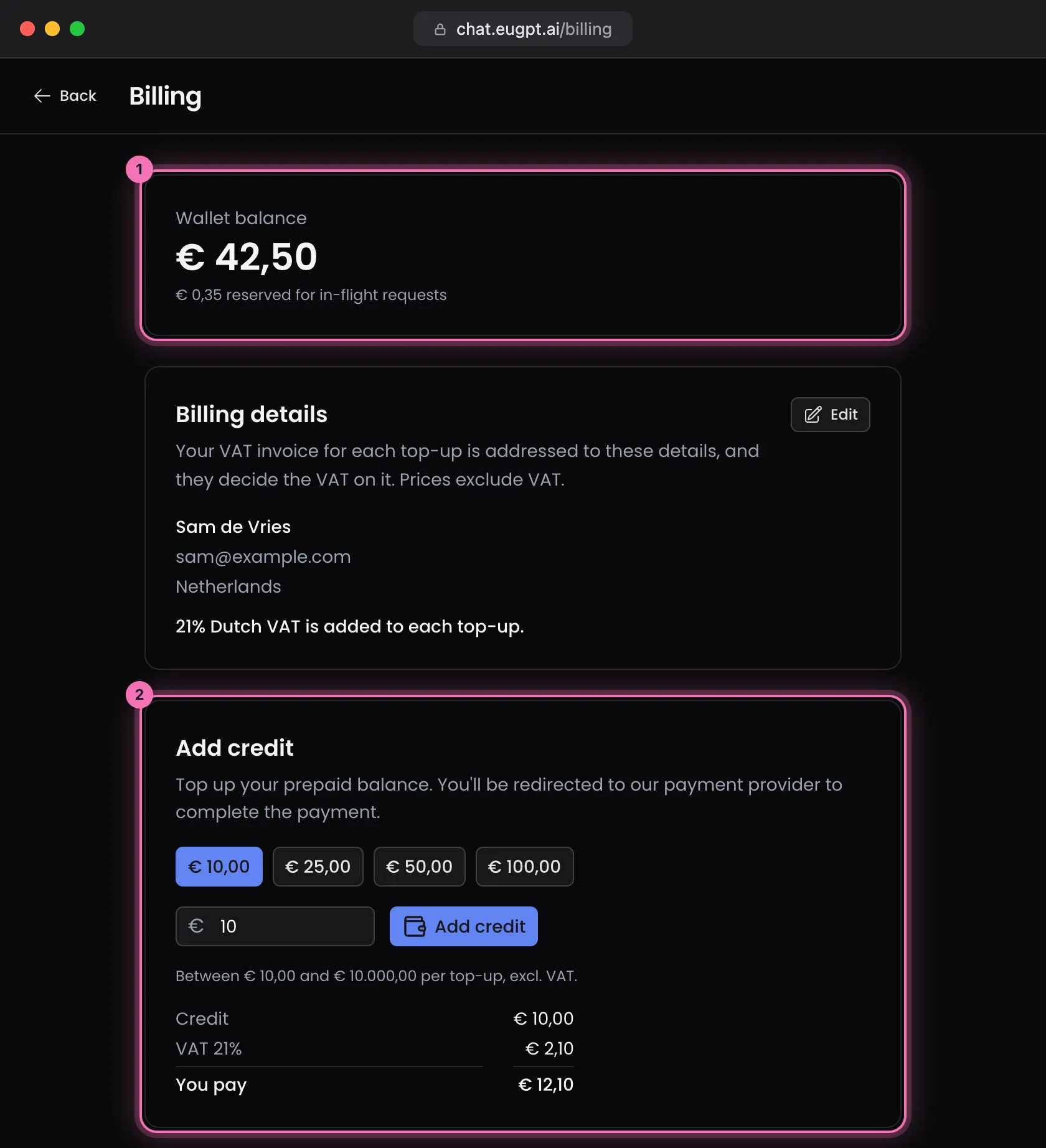
While a request runs, EU GPT reserves its worst-case cost (at least €0.05) and afterwards charges only the tokens used. See Pricing for the price per model, and Usage limits & billing for how the balance works and for auto top-up.
3. Create an API key#
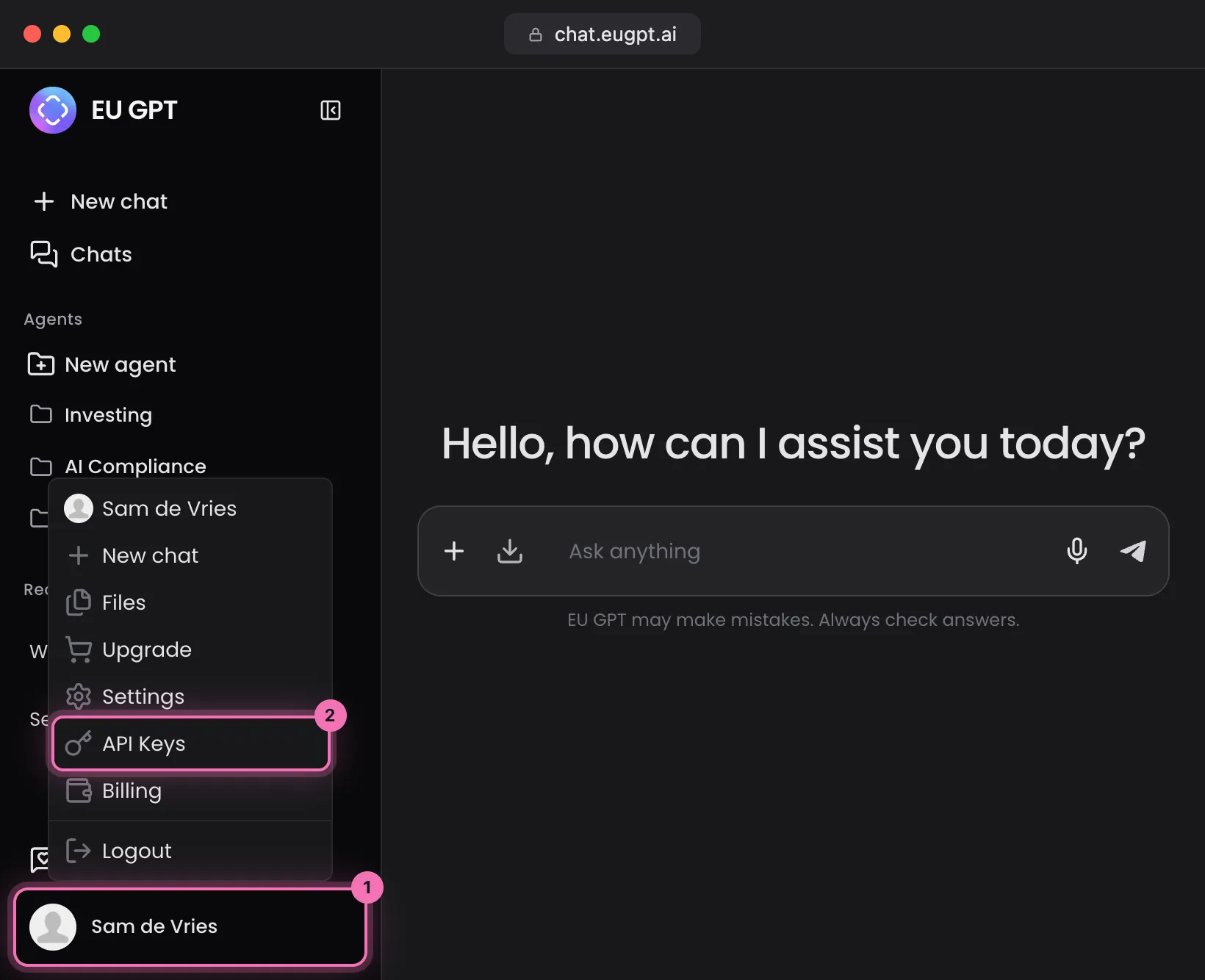
- In the web app, click your name at the bottom of the sidebar and choose API Keys.
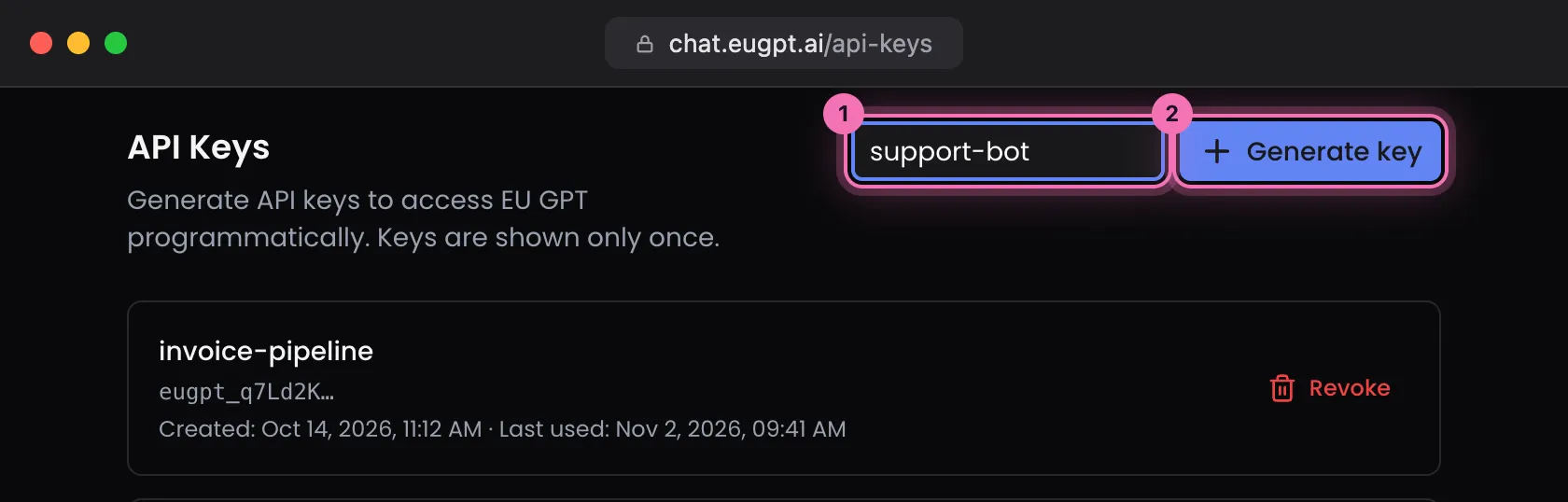
- Type a name that tells you where the key will run, for example
local-devorinvoice-pipeline. The name is optional. - Click Generate key, then click Copy in the yellow box that appears.
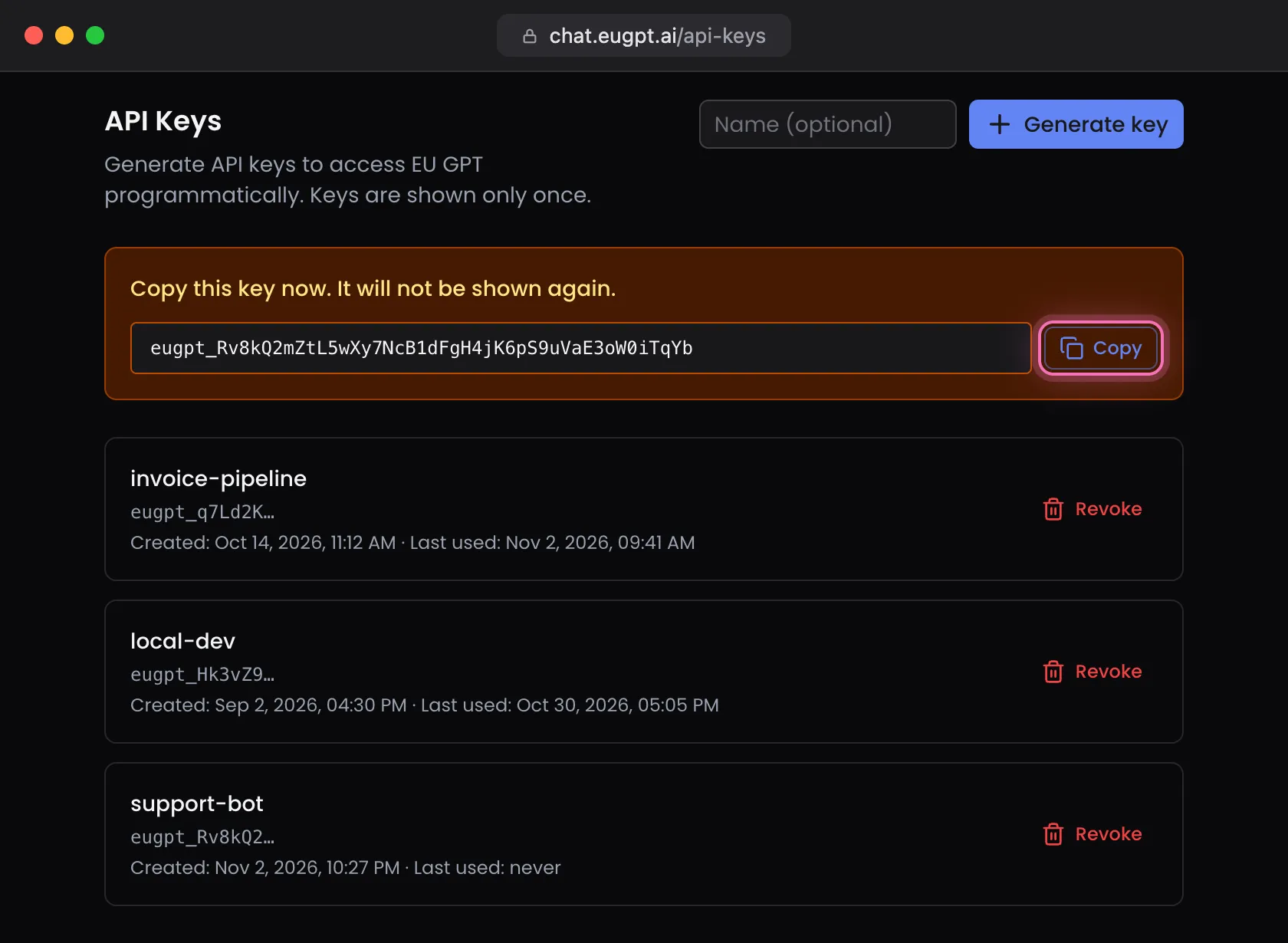
The full key is shown once. Store it in your secrets manager: after you leave the page, the list shows only its first characters. If a key is exposed, revoke it and create a new one.
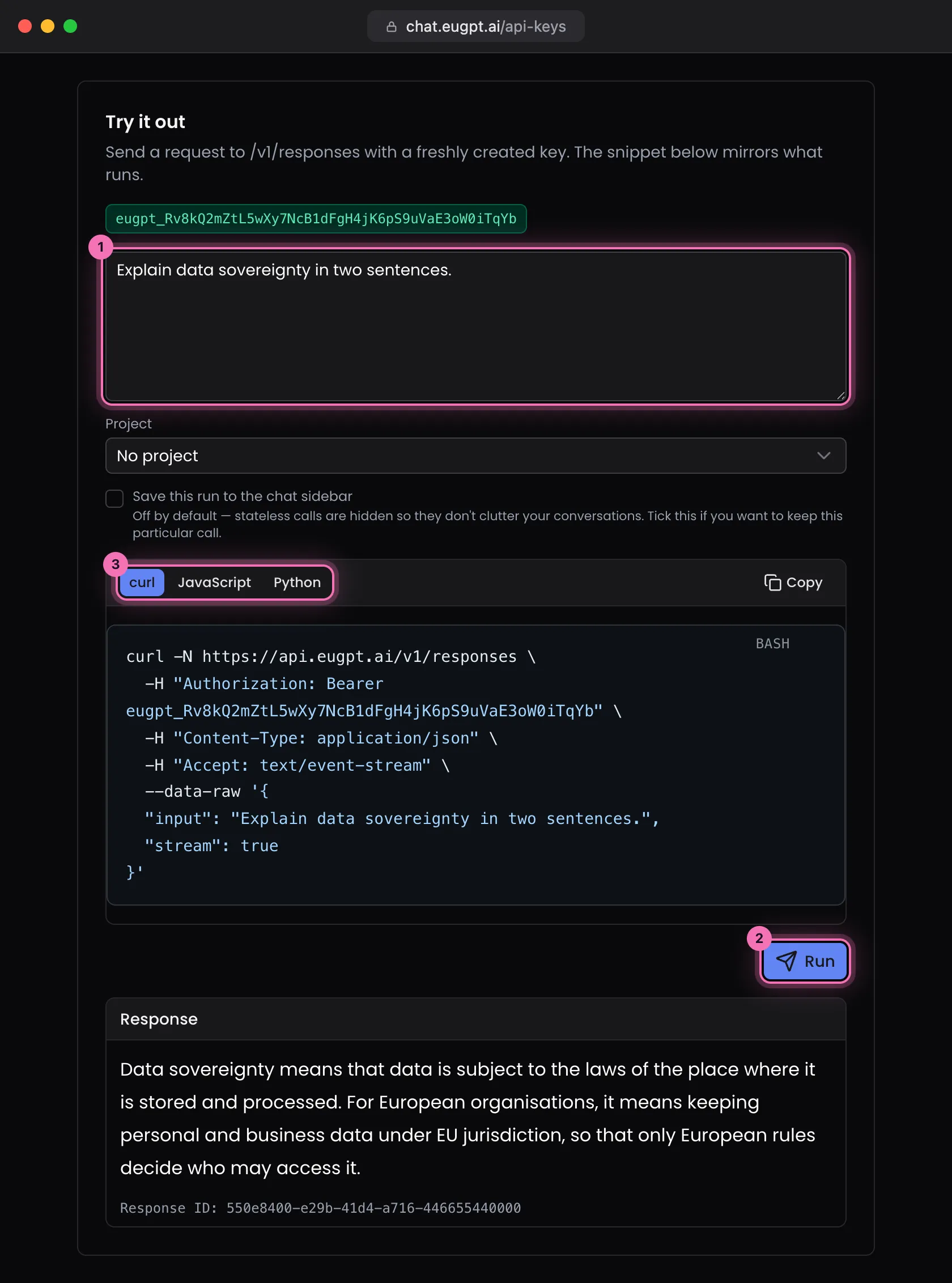
4. Send your first request#
Export the key and call the API. The minimum viable request is one line of input.
export EUGPT_API_KEY="eugpt_..."

curl https://api.eugpt.ai/v1/responses \
  -H "Authorization: Bearer $EUGPT_API_KEY" \
  -H "Content-Type: application/json" \
  -d '{
    "model": "auto",
    "input": "Write a haiku about sovereignty.",
    "stream": false
  }'
import OpenAI from "openai";
const client = new OpenAI({
apiKey: process.env.EUGPT_API_KEY,
baseURL: "https://api.eugpt.ai/v1",
});
const response = await client.responses.create({
model: "auto",
input: "Write a haiku about sovereignty.",
stream: false,
});
console.log(response.output_text);import os
from openai import OpenAI
client = OpenAI(
api_key=os.environ["EUGPT_API_KEY"],
base_url="https://api.eugpt.ai/v1",
)
response = client.responses.create(
model="auto",
input="Write a haiku about sovereignty.",
stream=False,
)
print(response.output_text)A successful response looks like:
{
  "id": "550e8400-e29b-41d4-a716-446655440000",
  "object": "response",
  "created_at": 1793577600,
  "status": "completed",
  "model": "qwen3.5-397b-a17b",
  "output": [ /* the assistant message, plus any tool calls */ ],
  "output_text": "Servers stand in Paris,\nLaws hold every byte at home —\nAnswers, still in light.",
  "generated_files": []
}
5. Switch to streaming#
Most real applications stream. Set stream: true (or omit it — true is the default) and read the response as Server-Sent Events.
const stream = await client.responses.create({
  model: "auto",
  input: "Explain GDPR in three sentences.",
  stream: true,
});

for await (const event of stream) {
  if (event.type === "response.output_text.delta") {
    process.stdout.write(event.delta);
  }
}
stream = client.responses.create(
model="auto",
input="Explain GDPR in three sentences.",
stream=True,
)
for event in stream:
if event.type == "response.output_text.delta":
print(event.delta, end="", flush=True)The full set of streaming events — including tool calls, generated files, and completion — is described in Streaming events.
What next#
- Authentication — key lifecycle, rotation, and revocation.
- The Responses API — how this API differs from chat completions, and what
inputaccepts. - Tools — web search, document creation, and the other built-in tools, and how they surface in the stream.
- Models —
autopicks a model for you; name one when you want the same model every time. - Pricing — price per model, per million tokens.