Public preview: This API is in public preview. Endpoints, schemas, and limits may change before general availability.
Usage limits & billing
How API usage is paid per token from a prepaid balance, how to add credit and set up auto top-up, and what happens when the balance runs out.
API usage is paid per token from a prepaid balance in euros, at the price per model. The balance is the only limit: your subscription plan does not limit API requests.
How billing works#
- Whose balance: your own, or your organisation’s if you belong to a business organisation. All keys of a user, or of all members of an organisation, draw on the same balance.
- Reserve, then charge: before a request runs, EU GPT reserves enough of the balance to cover its worst case: the input plus the full output budget, and at least €0.05. When the answer is done, it charges the tokens actually used and releases the rest. A lower
max_output_tokenstherefore ties up less of your balance. - Prices are fixed per request: a request is charged at the prices that applied when it started. If the model you named is slow to start and EU GPT continues with another model, you still pay the price of the model you named.
- Hard stop at €0: there is no postpaid mode and no surprise invoice. A request that the balance cannot cover is refused with
402. A request that is already running is finished and charged in full, so a long one (for example with many tool calls) can take the balance slightly below zero; the next request then waits for a top-up. - Disconnects still count: if your client drops a streaming connection, the response finishes on the server and is charged.
Adding credit#
Individual accounts manage their balance on the Billing page (the menu under your name → Billing). The page shows the balance and how much of it is reserved for requests in progress. Add your billing details once, for the VAT invoice; then choose an amount between €10 and €10,000 (excluding VAT) and click Add credit to pay through our payment provider.
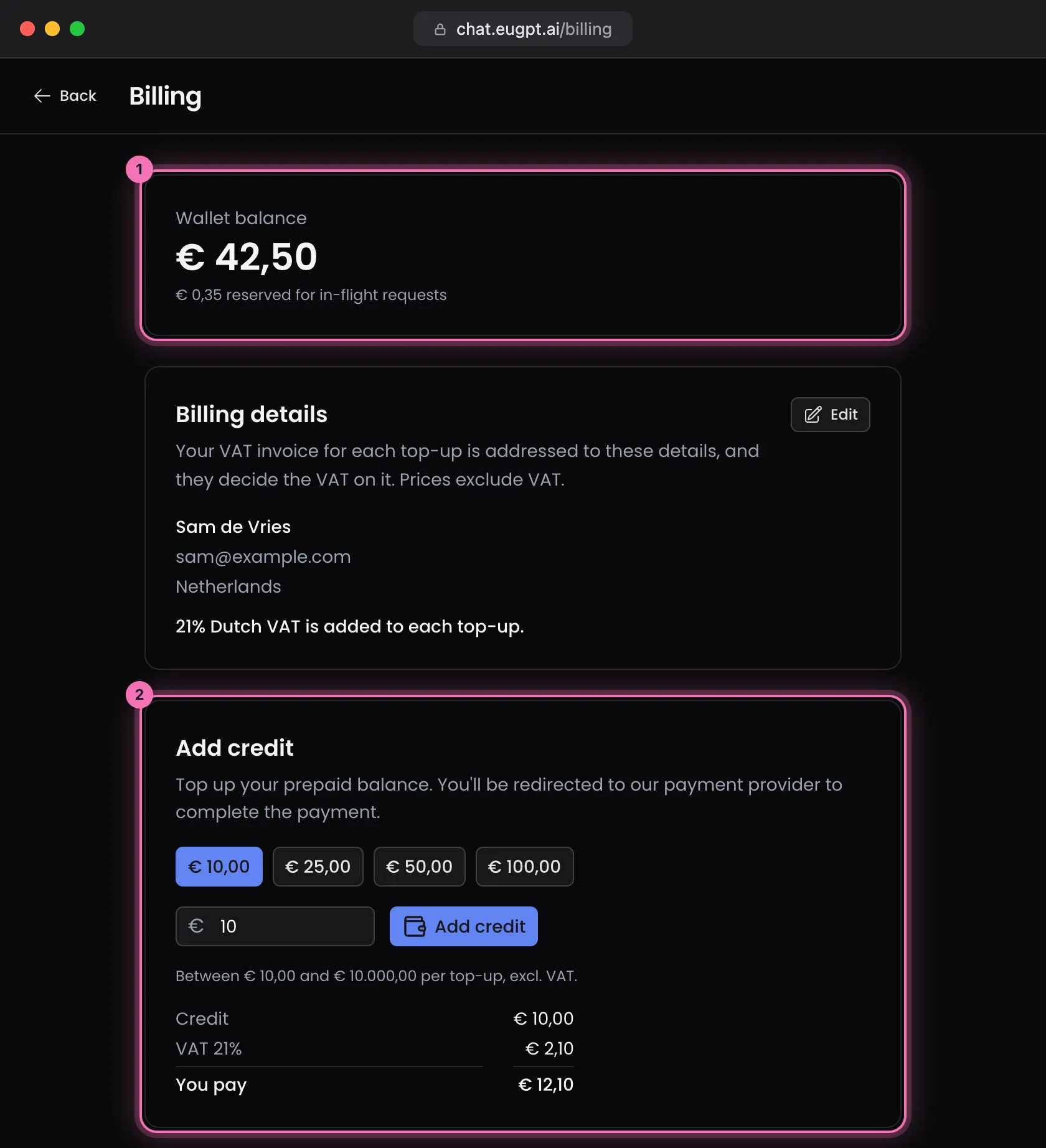
Organisations have one balance for all their members. Organisation managers find it in the Billing section of the organisation settings (the menu under your name → Organization), with the same options.
Auto top-up#
To keep an integration running, switch on Auto top-up on the same page. When the balance drops below a threshold you choose, EU GPT charges your card for a fixed amount (at least €25, excluding VAT), up to a monthly limit you set. You pay the first top-up by card; that card is used for the automatic ones.
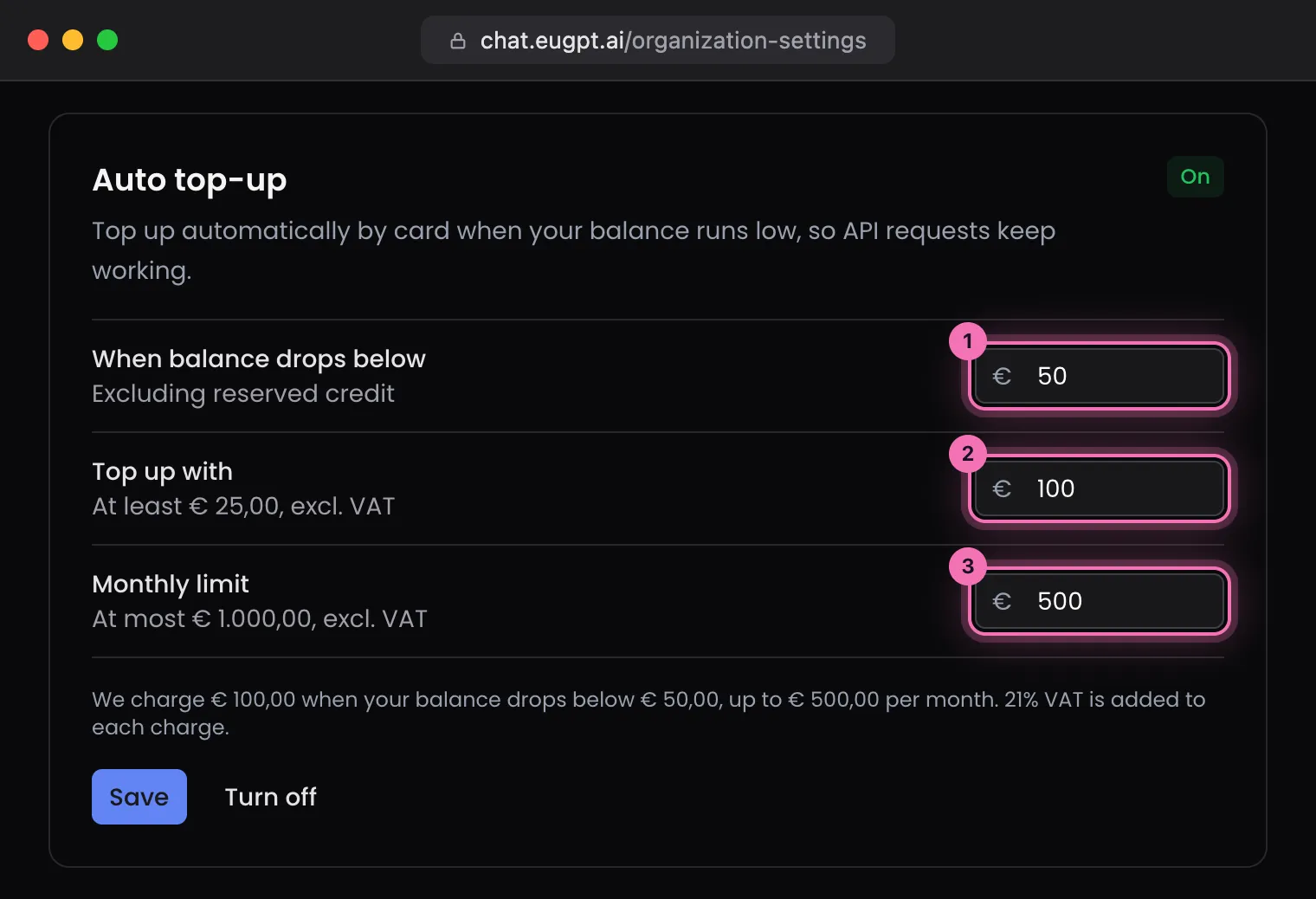
- If the card is declined or a payment is reversed, auto top-up switches off until you link a card again.
- When the monthly limit is reached, auto top-up pauses until the next month, or until you raise the limit.
When the balance runs out (402)#
POST /v1/responses returns 402 with one of these codes in detail.error:
| Code | Meaning | What to do |
|---|---|---|
wallet_insufficient_funds | The balance cannot cover the request, or there is no balance yet. | Add credit. |
auto_topup_failed | The balance is empty and auto top-up is off because the card was declined or a payment was reversed. | Link a card again. |
auto_topup_cap_reached | The balance is empty and auto top-up reached its monthly limit. | Raise the limit, or add credit. |
These requests are not worth retrying until the balance is topped up. See Errors for the exact JSON shape.
Per-key rate limits & quotas (planned)#
Setting limits on an individual key is planned: a requests-per-minute rate limit and a monthly cap. Exceeding them will return 429 with rate_limit_exceeded or monthly_quota_exceeded. Today, keys have no limits of their own.
Usage reporting per key (planned)#
Organisation admins will be able to see usage and spend broken down per API key, so a team sharing an organisation can tell which integration is driving cost. This is not live yet.
See Authentication for how keys work, and Errors for the exact 402 payloads.